

An ERP project is in trouble when decisions stop being made, the scope keeps growing, your own staff are not testing with real transactions, or people go back to their spreadsheets after go-live. Any one of those can be fixed; three or more together usually mean the project needs a reset, not more effort.
Part of The Gantry's ERP guides. Updated October 2026.
I implement ERP systems for small and mid-sized businesses, and I am often asked for a second opinion on projects that someone else started. The pattern is remarkably consistent. The software is rarely the problem. The problems are decisions, data and ownership, and they show up long before anyone says the word "failing".
Use this list as a health check. Be honest about which ones apply.
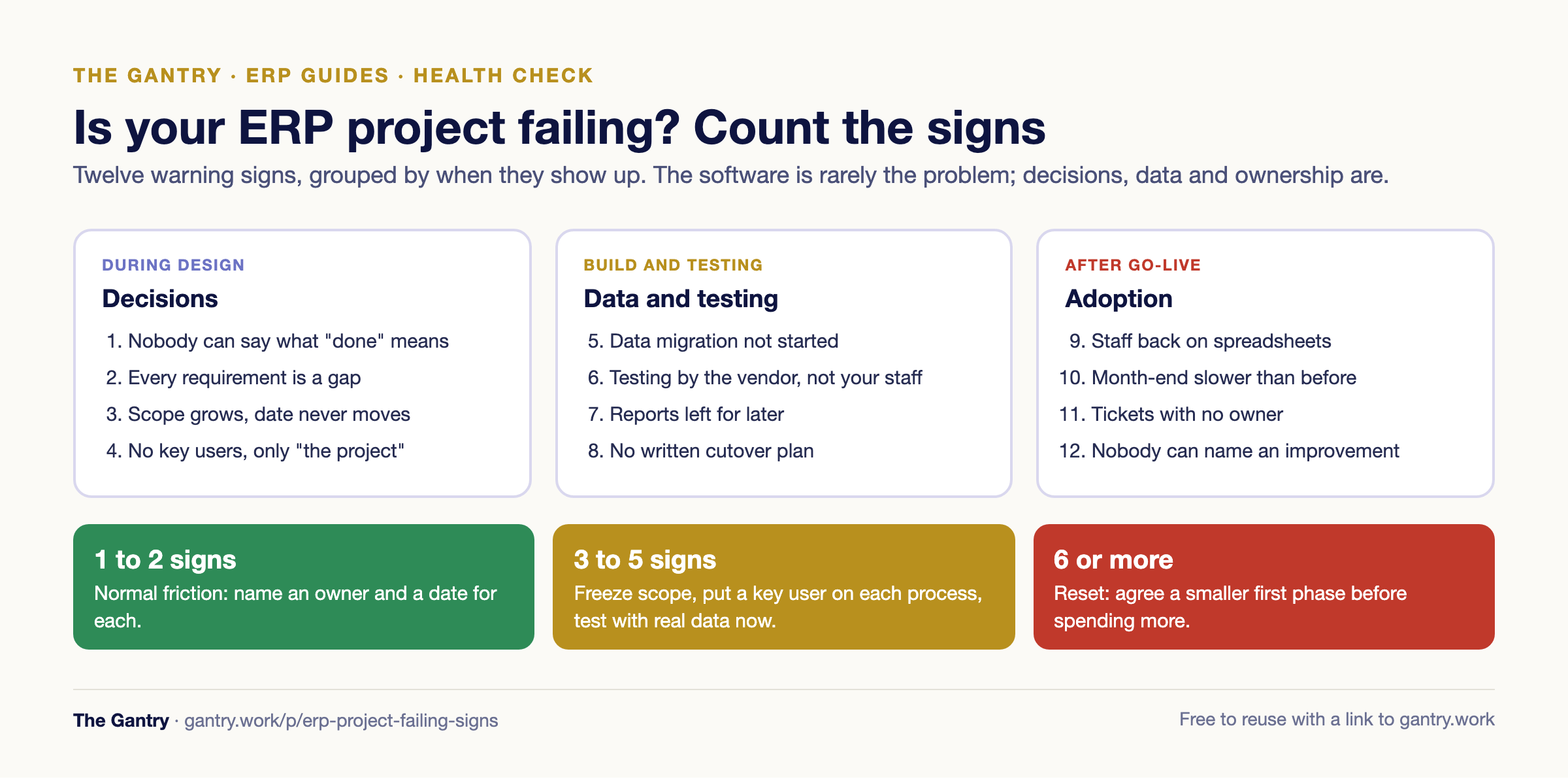
Warning signs during design
1. Nobody on your side can say what "done" means
If you ask three managers what the system must do on day one and get three different answers, the project has no target. Vendors build what they are told; if nobody tells them, they build what the last meeting asked for. The fix is a one-page list of the processes that must run in the new system at go-live, signed by the owner. Everything else is phase two.
2. Every requirement is a "gap"
In a healthy fit-gap analysis, most of your requirements are met by the standard system or by configuration. If the register is full of custom developments, either the system is the wrong fit or the team is rebuilding the old way of working in new software. Both are expensive, and the second one also makes every future upgrade harder. See configuration vs customisation for where the line sits.
3. The scope grows every week and the date never moves
New reports, new approval steps, "while we're at it" requests. If change requests are approved in meetings without anyone writing down the cost and the delay, the go-live date is already fiction. The scope creep guide has a simple change log that stops this.
4. There are no key users, only "the project"
Each department needs one person who knows its process, has time set aside for the project and can make decisions. If the work falls on whoever is free, or entirely on the vendor, nobody owns the result. Key users and super users explains what to ask of them.
Warning signs during build and testing
5. Data migration has not started
Customers, suppliers, items, prices, opening stock and open invoices take longer to clean than anyone expects. If data work is scheduled for "the last two weeks", the go-live will slip or go live with bad data. Start with a test load early. The data migration checklist and opening balances guide cover what has to be ready.
6. Testing is done by the vendor, not your staff
Vendor testing proves the configuration works. User acceptance testing proves your business can run on it, with your own people pushing real transactions through: a real quote, a real partial delivery, a real credit note. If your staff have not done this, nobody knows yet whether the system fits.
7. Reports were left for "after go-live"
The owner's first question after go-live is always about numbers: sales by customer, margin, stock value, what is overdue. If none of those reports exist before cutover, the system will look broken on day one, even if every transaction is right.
8. There is no written cutover plan
Going live is not flipping a switch. It is a sequence: freeze the old system, load final balances, check them, then open the new one. A cutover plan with a go/no-go check and a rollback option is a sign of a professional project. Its absence is a sign of hope as a strategy.
Warning signs after go-live
9. People are back on their spreadsheets
The clearest sign of all. If staff keep a parallel Excel "to be safe", they do not trust the system, and soon the system will not be trusted for numbers either. Find out exactly which task sent them back. It is usually one missing report or one awkward screen, and it is usually fixable.
10. Month-end takes longer than before
A new system should make the close faster within a few months. If it is slower, transactions are being entered late or wrong, or reconciliation still happens outside the system. Month-end shouldn't take three weeks shows what a healthy close looks like.
11. Support tickets pile up with no owner
After go-live there should be a defined period of close support, often called hypercare, with a log, priorities and exit criteria. If problems go to WhatsApp groups and nobody tracks them, small issues turn into workarounds that become permanent.
12. Nobody can say what the system has improved
Three months after go-live, the owner should be able to name what got better: faster invoicing, fewer stock errors, a quicker close. If nobody can, the project delivered software but not change.
What to do this week
Count the signs that apply.
One or two: normal friction. Raise them at the next project meeting with a named owner and a date for each.
Three to five: stop adding scope. Agree a reduced go-live list, put a key user on each process, and start real-data testing now.
Six or more: the project needs a reset. Hold a frank meeting with your vendor about scope, data and ownership before spending more. Sometimes the right answer is a smaller first phase; occasionally it is a different partner or a different system. How to switch ERP systems without stopping the business covers the second case.
Whatever the count, write down the three decisions that are blocking progress and who must make them. Projects rarely fail for technical reasons; they fail because decisions are not made.
Want a neutral second opinion? Bring your project plan, the list of open issues and your go-live date to a free 20-minute systems review. I will tell you honestly whether the project is recoverable as it stands and what to fix first. I am not trying to take over your project; most of the time the existing team can fix it once the problems are named.
Stuck on a step? Tell me where you're stuck and you'll get the fix, or a free 20-minute review if it's worth one.
Frequently asked questions
Why do ERP implementations fail? Most fail for organisational reasons rather than technical ones: unclear scope, too much customisation, poor data preparation, no internal owners and too little real testing by the people who will use the system.
How do I know if my ERP project is behind schedule? Compare today's position with the plan's milestones for data migration, user acceptance testing and reports. If any of those has not started within a month of go-live, the date is at risk.
Should we delay go-live? Delay if there is no tested cutover plan, opening balances have not been reconciled, or key users have not signed off testing. A short, planned delay costs far less than going live on bad data.
Can a failing ERP project be recovered? Usually, yes. Recovery starts with cutting scope back to what the business needs on day one, putting named owners on each process and testing with real transactions.
When should we change ERP partner? Only after a frank conversation about scope, data and ownership has not worked. Switching partners mid-project is expensive, and the new partner inherits the same unmade decisions unless those are fixed first.
Related guides
Fit-gap analysis · User acceptance testing · ERP cutover plan · Hypercare in ERP · ERP data migration checklist
Want this handled properly? I do a free 20-minute systems review. No pitch, just your questions answered.
Related reading: How Long Does an Odoo Implementation Take? 6 Weeks vs 6 Months, Explained
I'm Sayed. I work closely with business owners to automate their operations and build workflows that actually make sense. I write The Gantry about ERP and automation for SMEs.