

Updated 27 Oct 2026. Make prices and free-plan limits checked on make.com, October 2026.
What you'll get: Which of Make's two official Stripe templates you need, the fixes before real payments (cents, customer, fee), the Stripe clearing account your accountant will ask for, and a build checklist. Because the Stripe trigger is instant, it costs no credits while it waits.
Affiliate link: The Gantry may earn a commission if you sign up, at no extra cost to you. How I test tools and how this site makes money.
You can send Stripe payments to QuickBooks Online automatically with a free Make scenario that fires the moment a payment succeeds, finds or creates the customer in QuickBooks and records a sales receipt, or an invoice if you bill through Stripe Invoicing. Set it up with a Stripe clearing account and your payouts and fees reconcile too, instead of turning into a month-end puzzle.
The whole setup in 50 seconds
The short version: record each payment the moment it succeeds, in the customer's name, through a Stripe clearing account, and record the fee as well. The steps and the costs are below.
Why Stripe and QuickBooks drift apart
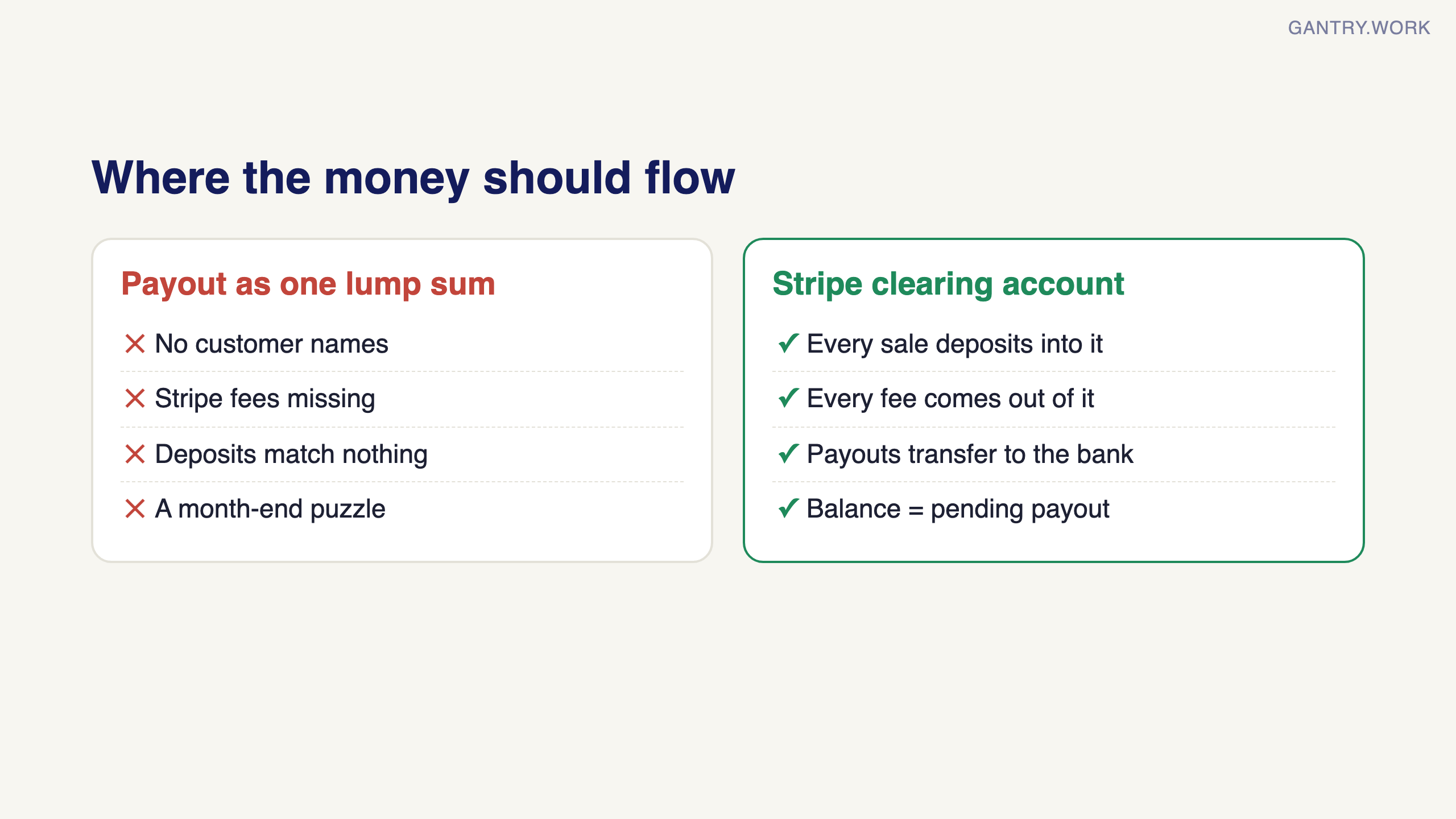
Stripe is where the money comes in; QuickBooks is where your accountant expects to find it. In between, someone exports a CSV, or types payments in one by one, or waits until the payout lands in the bank and records one lump sum with no customer names. By month-end nobody can tell which customer paid what, the Stripe fees are missing, and the bank feed shows deposits that match nothing.
The fix is to record each payment in QuickBooks the moment it happens, in the customer's name, and to treat Stripe as the temporary bank account it really is.
Your options
Paid sync apps. Tools such as Acodei (from US$12 a month, with a free trial) and Synder specialise in Stripe accounting, including fees, refunds and payouts. If Stripe is your main sales channel and your volume is high, pay for one.
A Make scenario. Free to start, and you decide exactly what gets recorded and how. It suits businesses taking tens or a few hundred Stripe payments a month, and anyone who wants the payment to trigger other steps too, such as a welcome email, a row in the orders sheet or a message to the team.
By hand. Fine at five payments a month. Painful at fifty.
The Make blueprint
Make has two official templates, and the first question is which one you need. Both need a Make account (free plan is enough to build and test), a Stripe account and QuickBooks Online.
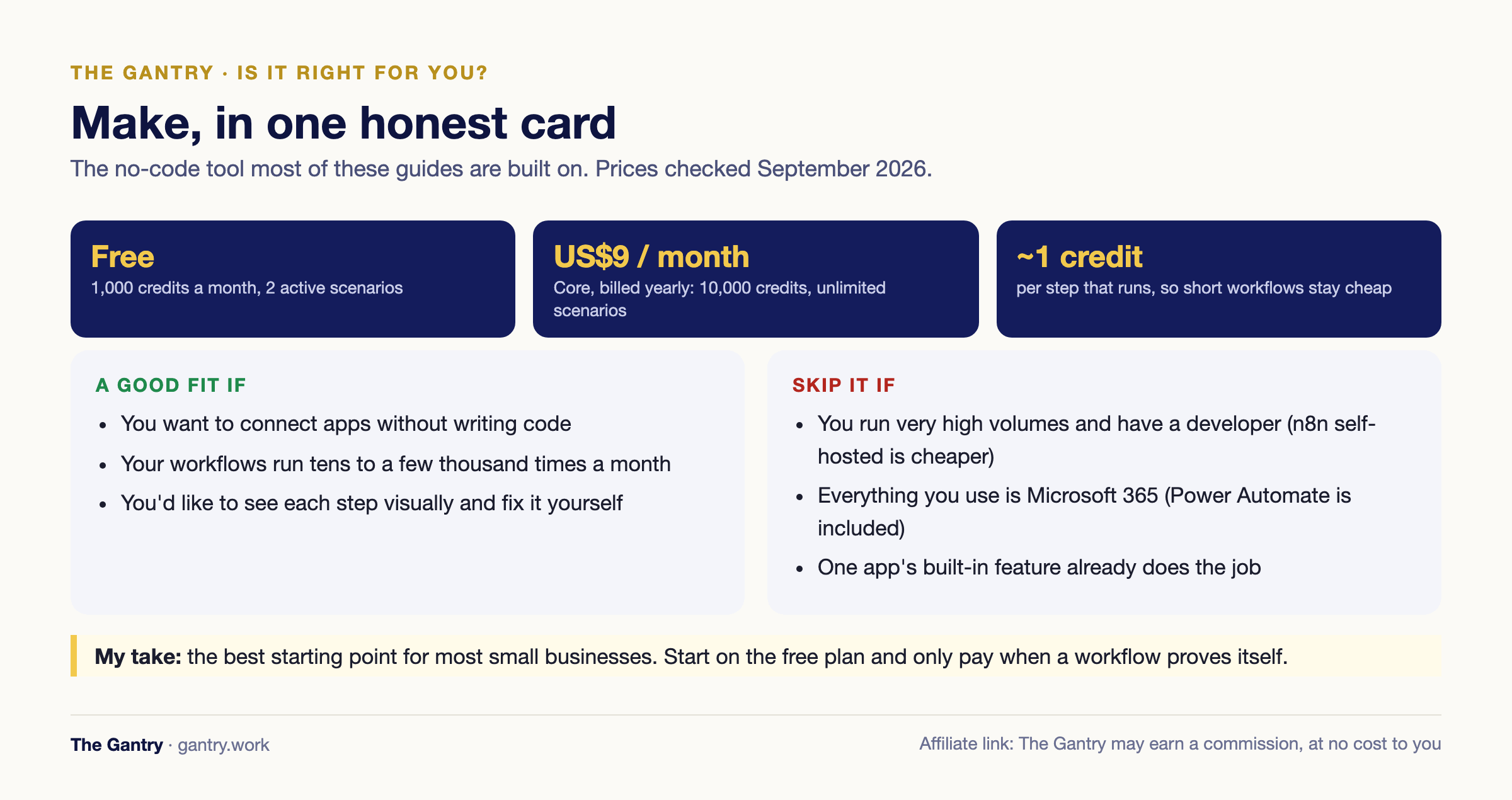
You need a Make account to copy either template; the free plan covers about 160 payments a month.
Build checklist: prepare these first
Stripe in test mode, and a QuickBooks sandbox or test company.
A bank-type account in QuickBooks called Stripe clearing, and an expense account for Stripe fees.
Your choice of template: sales receipts for one-off payments, invoices if you bill through Stripe Invoicing. Never both without a filter.
A rule for guest checkouts with no customer record, for example one customer called Stripe guest.
Three test payments: an existing customer, a new customer and a guest.
The charge ID in the memo of every sales receipt, so payouts can be matched later.
One-off payments (Payment Links, Checkout, card payments on your site): use Create a QuickBooks sales receipt from a Stripe charge, used more than 260 times.
Invoices and subscriptions billed through Stripe: use Import Stripe invoices to QuickBooks, which copies each Stripe invoice line by line.
Do not run both on the same Stripe account without a filter. When a Stripe invoice is paid, Stripe also creates a charge, so both scenarios fire and the sale is recorded twice. If you use both, add a filter to the charge scenario that ignores charges linked to an invoice.
The steps below follow the sales-receipt template; the invoice template works the same way with a line-item loop in the middle.
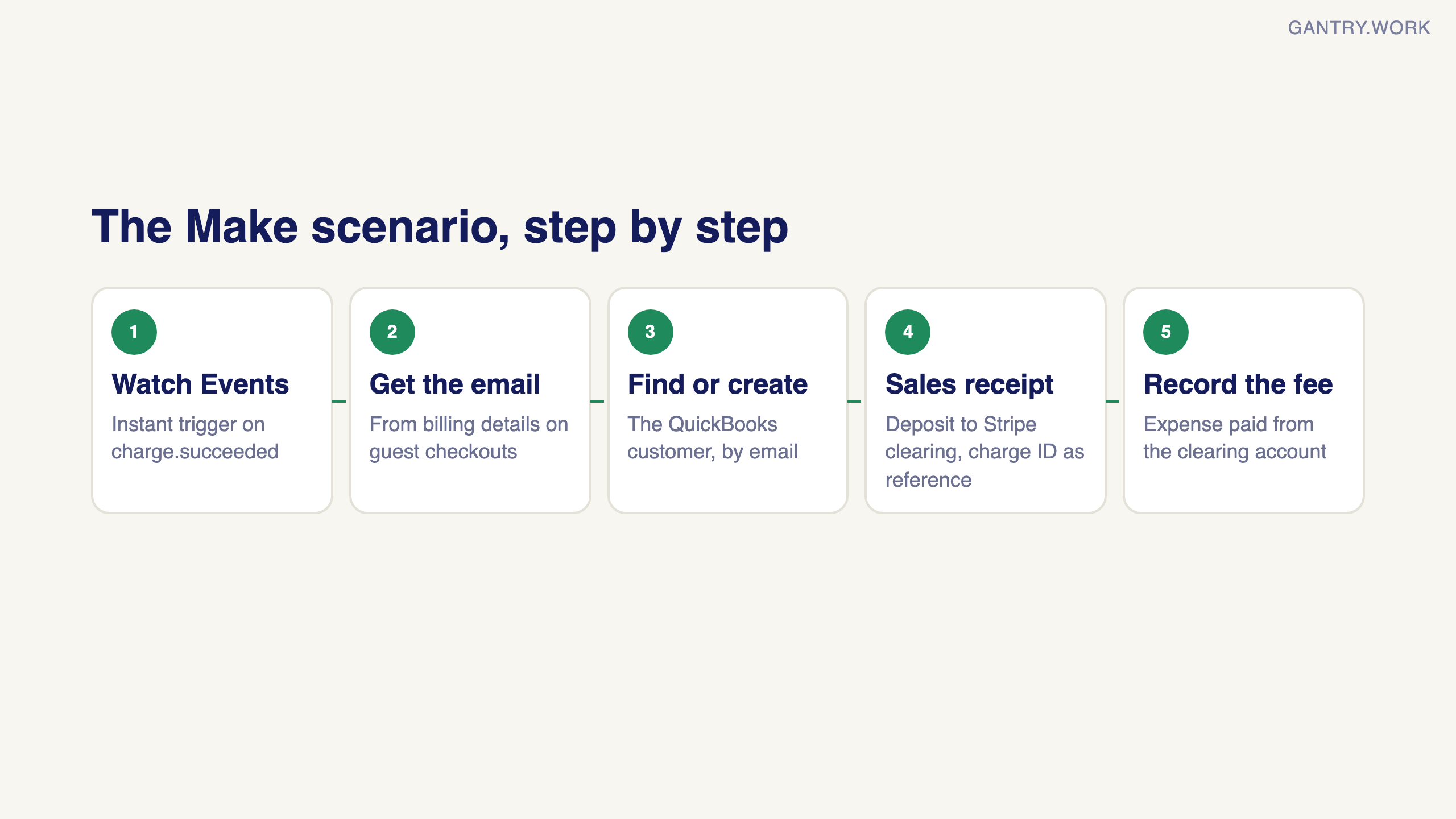
1. Build it in Stripe test mode first
Connect Make to Stripe in test mode, and QuickBooks to a sandbox or a test company if you have one. You will make test payments, and you do not want them in your real books.
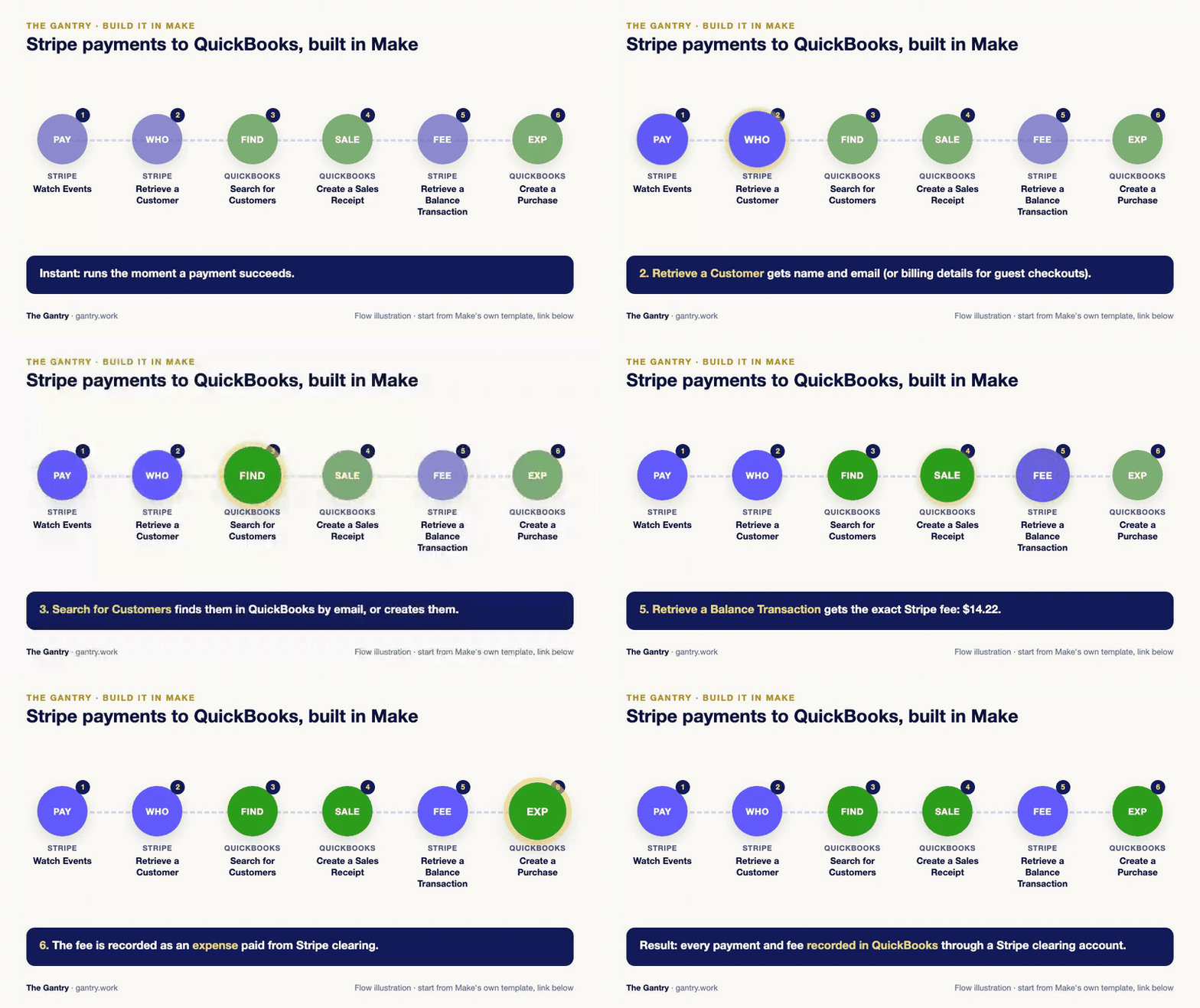
2. Watch Events (Stripe)
This trigger is instant: Stripe tells Make the moment something happens, so there is no waiting and no credits wasted checking. Choose the event charge.succeeded for the sales-receipt template, or invoice.paid for the invoice template.
3. Find the customer's email
The template retrieves the Stripe customer to get their name and email. Guest checkouts through Payment Links often have no Stripe customer attached, and that step then fails. Map the email and name from the charge's billing details when the customer field is empty, so every payment still finds its person.
4. Find or create the customer (QuickBooks)
Search for Customers looks for a QuickBooks customer with that email. A router either goes straight on, or runs Create a Customer first. Keep this: it is what gives your accountant a sale in a real customer's name instead of "Stripe customer".
5. Create a Sales Receipt (QuickBooks)
The template records one line with the amount and the charge description. Check three things:
Cents: Stripe stores amounts in the smallest unit, so the template divides by 100. That is right for US dollars, Singapore dollars and euros, and wrong for zero-decimal currencies such as Japanese yen. If you charge in yen, remove the division.
Item and deposit account: pick the product or service item the sale belongs to, and set Deposit to your Stripe clearing account (see below), not your bank.
Reference: put the Stripe charge ID in the memo or reference number, so anyone can trace the receipt back to Stripe.
6. Record the fee
Add Stripe: Retrieve a Balance Transaction for the charge, which tells you the exact Stripe fee, and record it in QuickBooks as an expense paid from the Stripe clearing account. This is the step most setups skip, and it is why their Stripe balance never matches.
Credits: because the Stripe trigger is instant, the scenario costs nothing while it waits. Each payment uses about 6 credits with the fee step. Make's free plan of 1,000 credits covers about 160 payments a month; above that, the Core plan at US$9 a month billed annually covers well over 1,000. The arithmetic is in my Make pricing guide. Work out your own numbers with the free Make credit calculator.
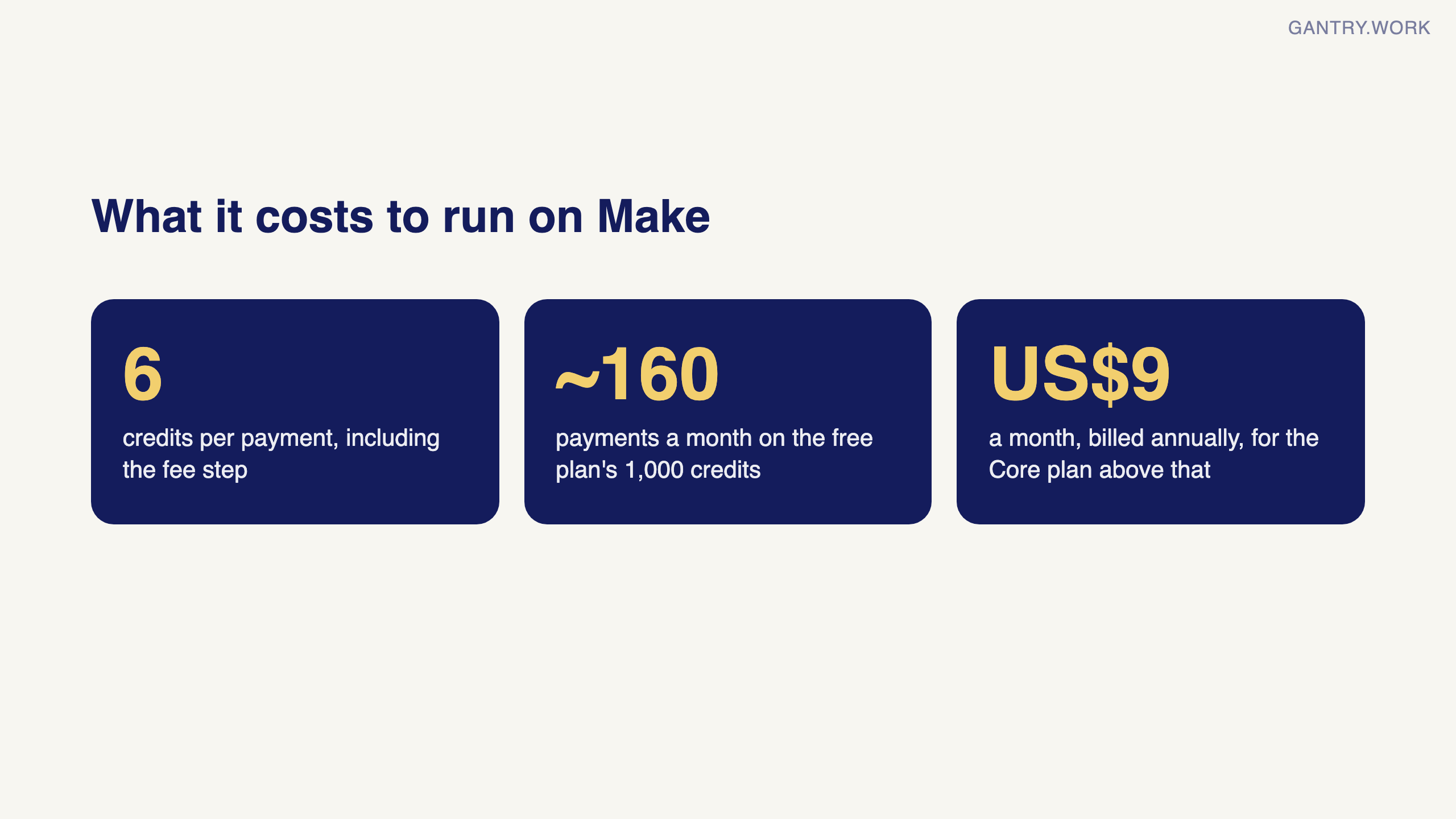

The free Make credit calculator at work: pick a workflow and see how many credits a month it really uses. Click the animation to try it.
Stuck on a step? Tell me where you're stuck and you'll get the fix, or a free 20-minute review if it's worth one.
The Stripe clearing account: how the money should flow
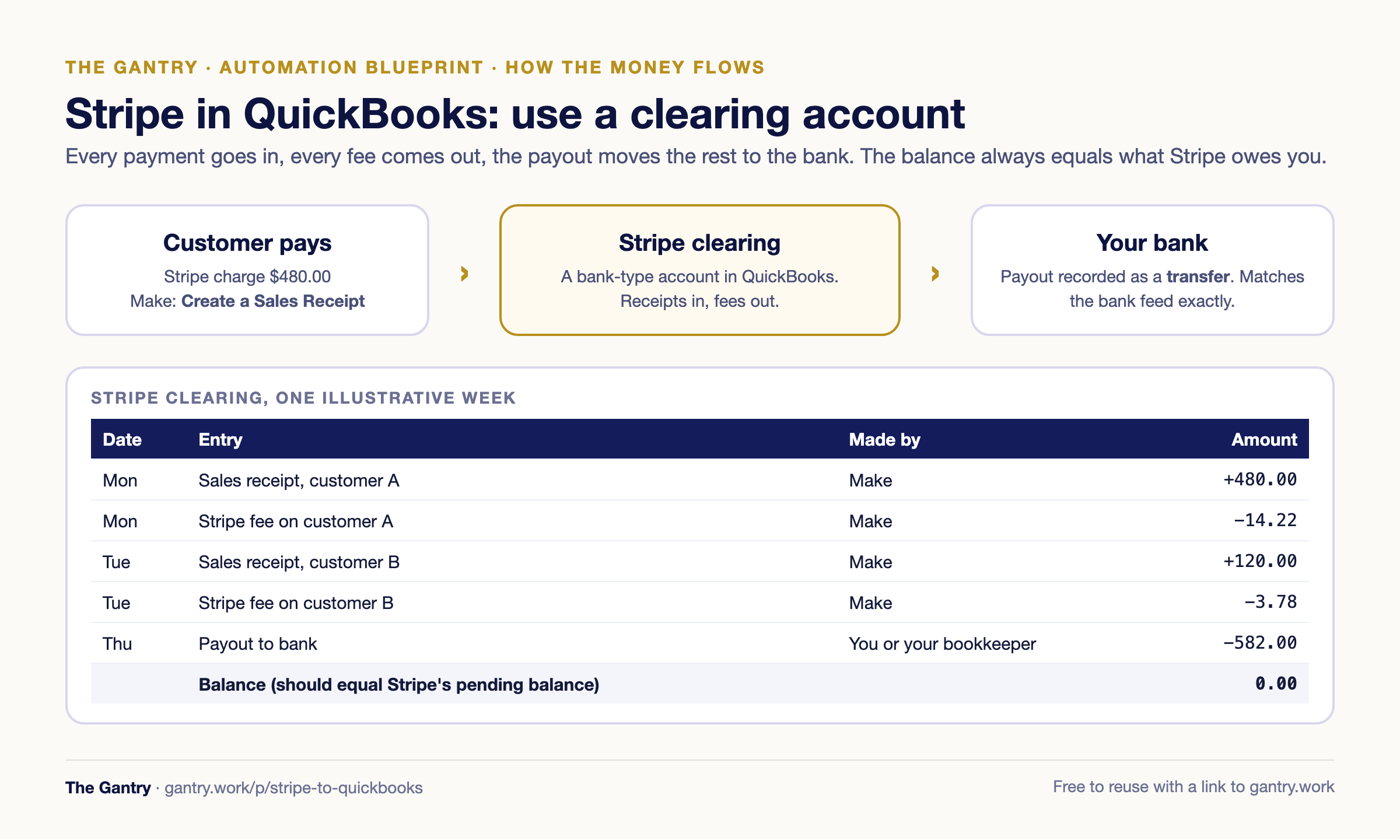
Create a bank-type account in QuickBooks called "Stripe clearing". Every sales receipt deposits into it, every fee comes out of it, and when Stripe pays out, you record a transfer from Stripe clearing to your real bank account, which then matches the deposit in your bank feed exactly. At any moment the clearing balance should equal what Stripe says is waiting to be paid out. If it does not, a payment, fee or refund is missing, and you know where to look.
Agree this with your accountant before you switch anything on. It takes ten minutes to set up and saves an afternoon every month.
Test checklist and what can go wrong
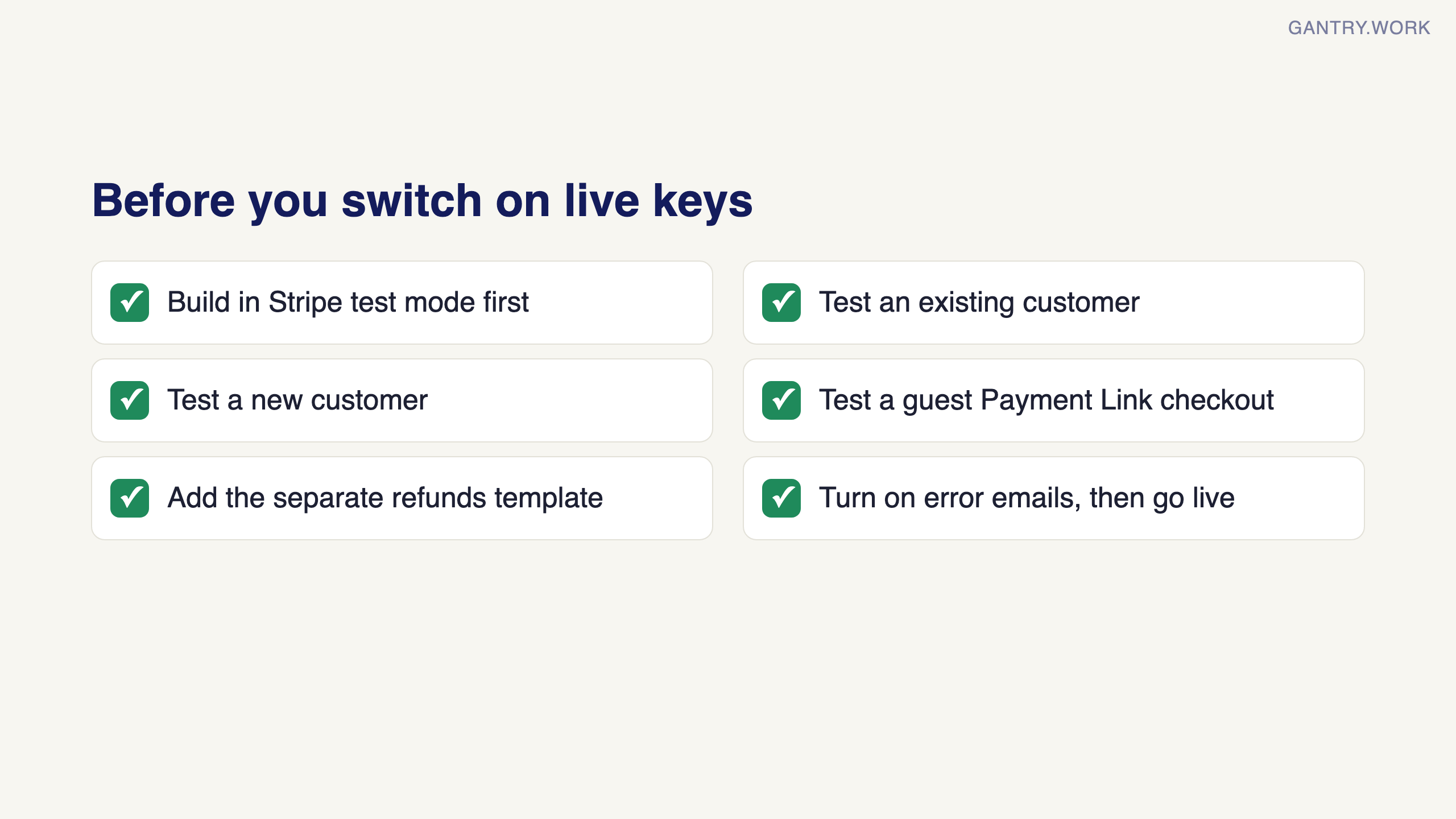
Make three test payments in Stripe test mode: an existing customer, a new customer and a guest Payment Link checkout. Each should produce one sales receipt in the right name and one fee entry.
Refunds are not handled by the template. Make has a separate one, Add Stripe refunds to QuickBooks; add it before you go live or post refunds by hand.
Failed runs: if QuickBooks rejects a receipt (a closed period, a missing item), Make stores the error in the scenario history. Turn on email notifications for errors so a failed payment does not go unrecorded.
Switch to live keys last, then make one small real payment and check it end to end.
When you have outgrown this
A Stripe-to-QuickBooks scenario is right when Stripe is one of a few ways you get paid. If you now bill subscriptions, deliver projects, track costs and run order-to-cash across several channels, and month-end still takes days, the problem is not the sync but the number of systems. That is when an ERP starts paying for itself; read what month-end should look like.
Frequently asked questions
Does Stripe integrate with QuickBooks directly? Not with a free built-in sync that records each payment. Most businesses use a paid sync app such as Acodei or Synder, or build their own with Make or n8n.
Can Make send Stripe payments to QuickBooks automatically? Yes. Make's official templates record each successful Stripe charge as a QuickBooks sales receipt, or copy each Stripe invoice into QuickBooks, and find or create the customer first.
Should Stripe payments be sales receipts or invoices in QuickBooks? One-off payments taken upfront are sales receipts. Subscriptions and invoices billed through Stripe are usually recorded as invoices, with the payment applied when Stripe collects it.
How do I record Stripe fees in QuickBooks? Record each sale into a Stripe clearing account, record the fee as an expense from that account, and record payouts as transfers from Stripe clearing to your bank.
Is Make free for this? The free plan's 1,000 credits cover about 160 payments a month, because the Stripe trigger is instant and costs nothing while idle.
Stop keying Stripe payments into QuickBooks
Set up the clearing account, copy the right template, run three test payments in test mode, then switch it on. Make's free plan of 1,000 credits a month covers about 160 payments (checked October 2026).
Affiliate link: The Gantry may earn a commission if you sign up, at no extra cost to you.
Next read
Shopify to QuickBooks: the same idea for online orders
Record-to-report process: how this fits a clean month-end
Make.com pricing and review: what you pay as volume grows
Free tool: Make credit calculator. Check what your payment volume costs in credits.
Rather have someone look at your setup? Book a free 20-minute systems review. Bring the process that keeps going wrong; you get an honest answer on whether to automate it, and how.
I'm Sayed. I work closely with business owners to automate their operations and build workflows that actually make sense. I write The Gantry about ERP and automation for SMEs.
Working on something similar? Connect with me on LinkedIn and tell me what you are working on. I read and reply to every message, and the questions people send become the next guides.
How I test everything and how this site makes money: How The Gantry works.