

Most Odoo reviews online are written by people who either sell it or spent a weekend with a trial account. I implement it for a living, which gives me a different vantage point: I see what the system looks like two years in, once the honeymoon is over and the business depends on it daily. That’s the review worth writing — including the parts that frustrate me, and the buyers I turn away.
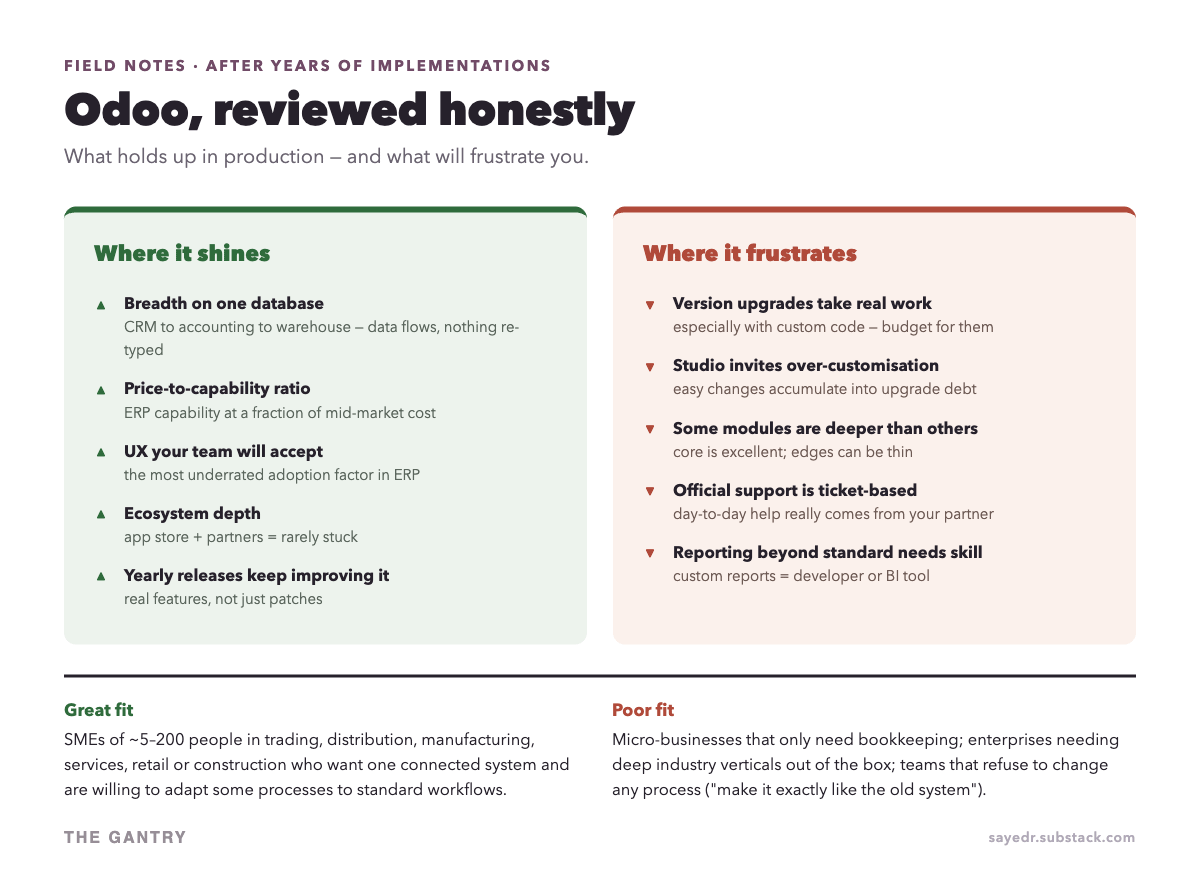
The whole review in under a minute
The short version: one shared database is the real strength, custom code is the real long-term cost, and the fit test matters more than any feature list. The detail is below.
Is Odoo actually good? The two-year test
Yes — with conditions. The systems I installed years ago are still running, still upgraded, still growing modules. The pattern in successful installs is consistent: the company adopted standard workflows where possible, kept customisation disciplined, and had one internal owner who made decisions. Where I’ve seen installs sour, the causes were equally consistent — and almost never the software itself. More on that below.
Deciding on a system for your own business? In a free 20-minute systems review, you walk me through how sales, stock and accounts run today, and I tell you honestly which system fits, or whether you need one yet. No pitch. Book a free 20-minute review
What genuinely holds up
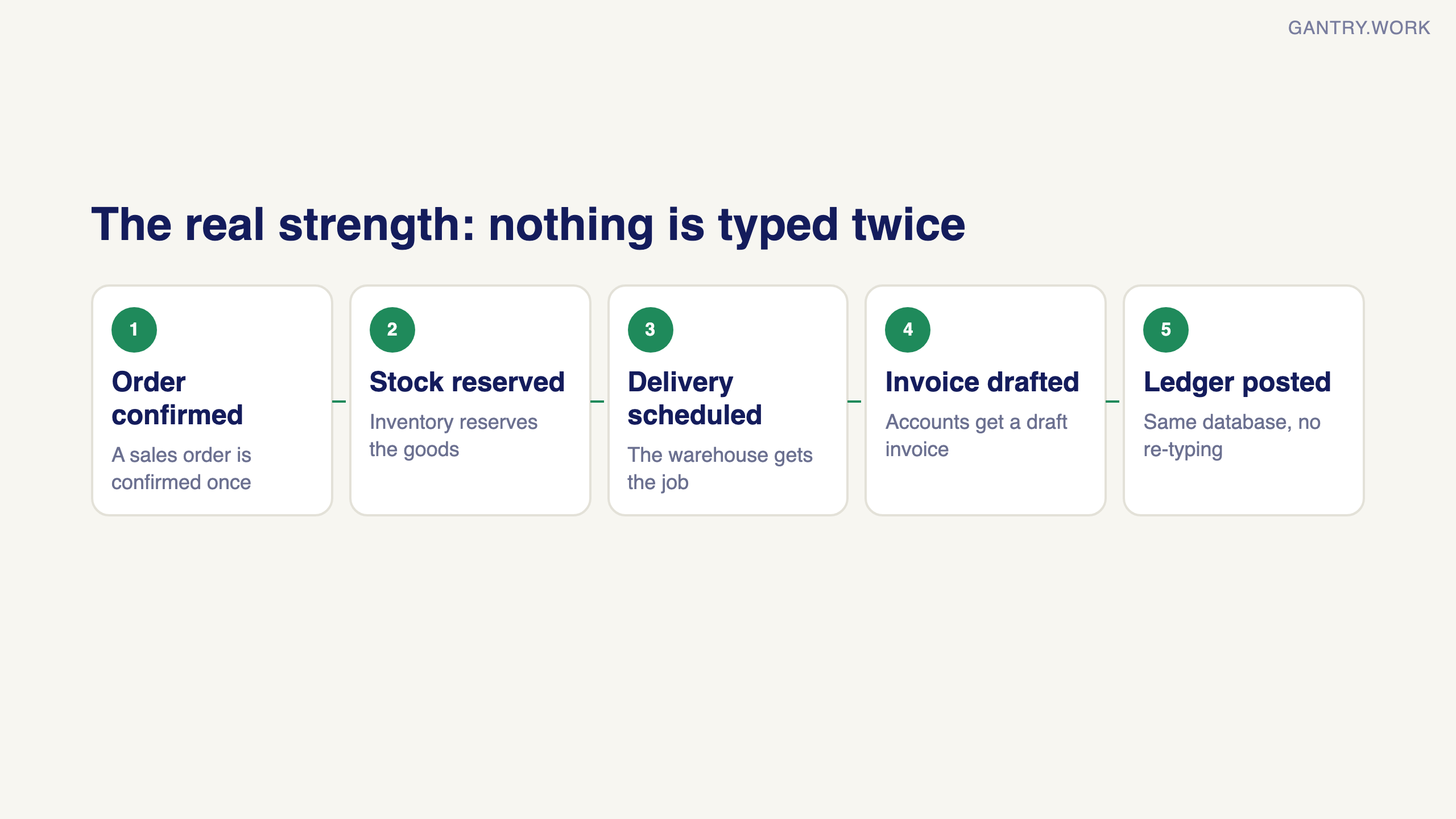
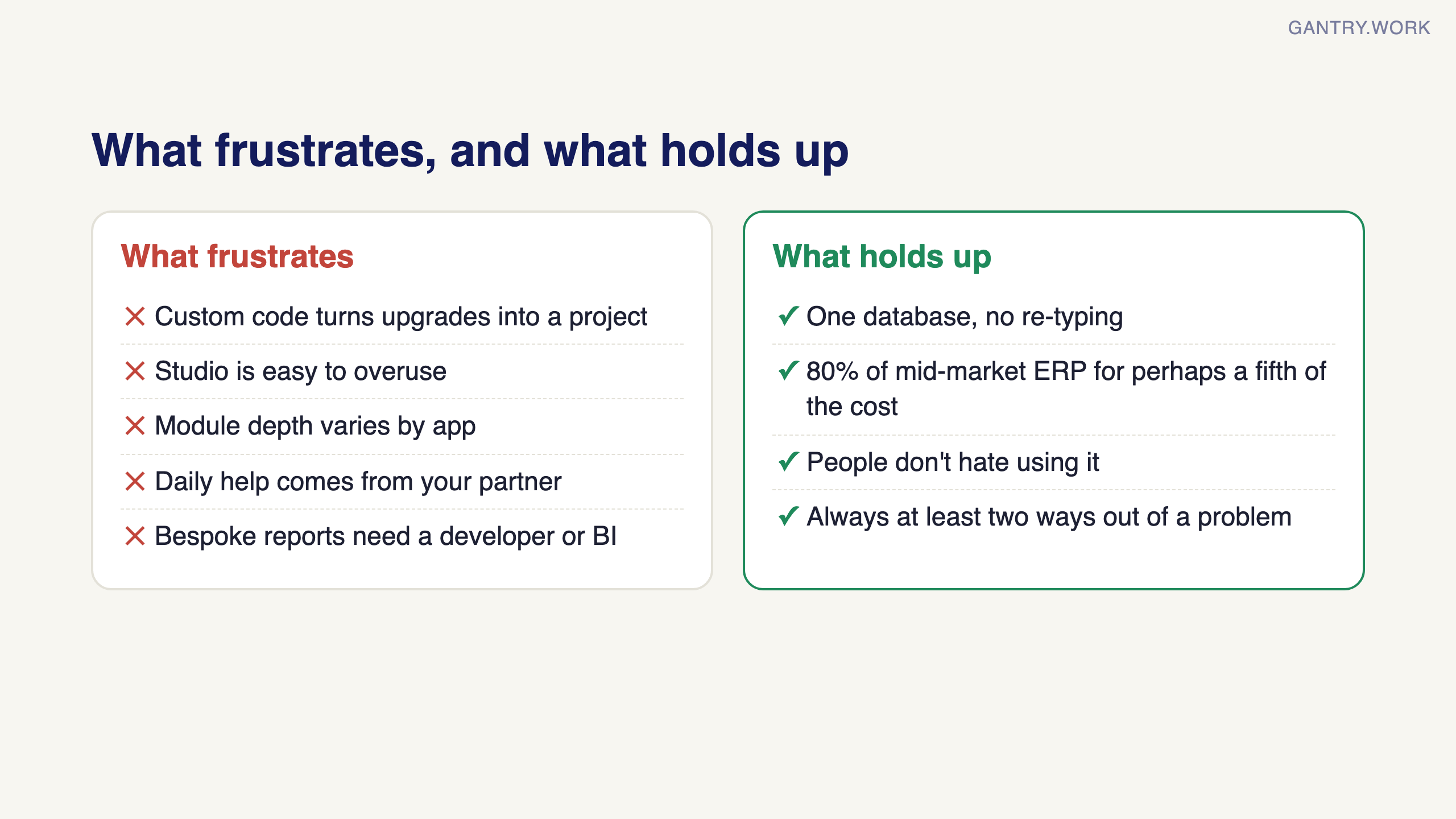
The single-database promise is real. A confirmed sales order reserves stock, schedules delivery, drafts the invoice, posts to the ledger. After years in this industry I still consider this the core magic — not any single module, but the absence of re-typing between them.
Price-to-capability is unmatched in its class. You get 80% of what mid-market ERPs deliver at perhaps a fifth of the total cost. That remaining 20% is real (see frustrations), but most SMEs never need it.
People don’t hate using it. This sounds like faint praise; in ERP it’s the highest compliment. Adoption kills more ERP projects than any technical fault, and Odoo’s UX consistently clears the bar where older systems fail.
You’re never stuck. Between the app store, the partner network, and the open source code, every problem I’ve hit had at least two ways out.
What are the disadvantages of Odoo?
The question everyone Googles and no vendor answers. My honest list:
Upgrades are a project, not a click. Odoo releases a major version yearly. On Odoo Online with no custom code, upgrades are nearly painless. With custom modules, every upgrade means migrating that code — this is the single biggest long-term cost driver, and it’s why I push clients toward standard workflows so hard.
Studio is a loaded gun. The no-code customiser is genuinely useful and dangerously easy. Fifty small tweaks later, you have an unmaintainable snowflake. Rule of thumb: Studio for fields and views, developers for logic, and a written log of everything changed.
Module depth varies. Sales, inventory, accounting, manufacturing — deep and battle-tested. Some newer or narrower modules are thinner than the brochure suggests. Test your critical workflow in a trial before committing.
Support reality: Odoo SA’s direct support is ticket-based and fine for product bugs. Your day-to-day lifeline is your implementation partner — which means partner choice matters as much as product choice (next week’s post).
Advanced reporting needs skill. Standard reports are good; bespoke analytics means a developer or plugging in a BI tool. Budget for it if your management pack is elaborate.
Is Odoo a legit company?
A surprisingly common search, so for the record: Odoo SA is a Belgian software company founded in 2005, with thousands of employees, offices worldwide, millions of users, and heavyweight investors. The open-source codebase is public on GitHub. Whatever risks you’re weighing, “is this real software” isn’t one of them.
Who shouldn’t buy Odoo
You only need bookkeeping. A 3-person consultancy with no inventory doesn’t need an ERP. QuickBooks or Xero plus a good accountant is simpler and cheaper.
You need a deep industry vertical out of the box. Hospital management, airline ops, full-blown construction ERP with local progress-claim conventions — possible in Odoo with work, but specialist verticals may serve you faster.
Nobody will own it internally. If no one on your side can spend a few hours a week making decisions during implementation, save your money until someone can.
You refuse to change any process. “Make it work exactly like the old system” is the most expensive sentence in ERP. If that’s non-negotiable, no modern system will make you happy.
From our projects: when the first partner stalls
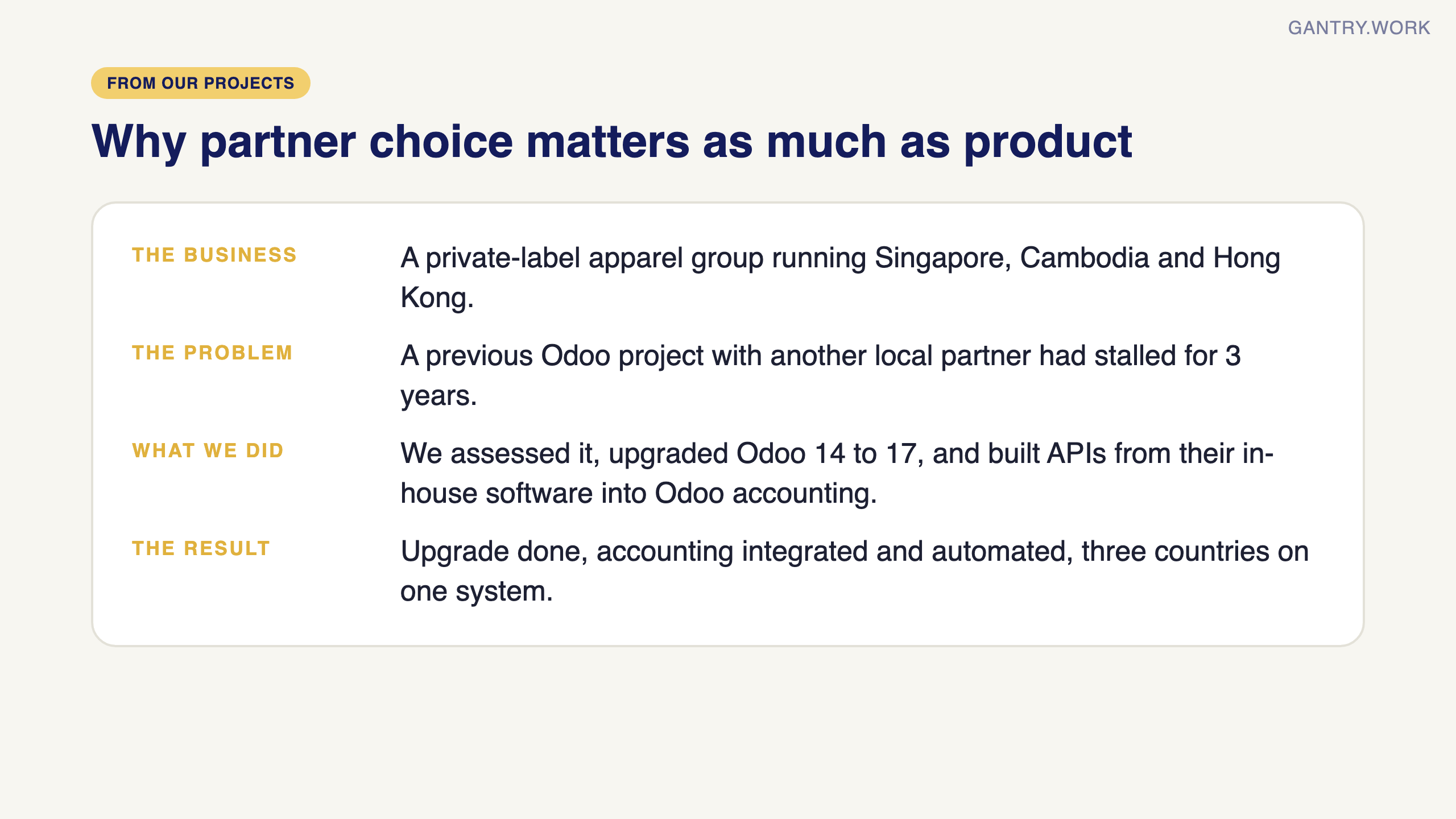
Upgrades and partner choice are the two points in this review I feel most strongly about, because of projects like this one. A private-label apparel group running Singapore, Cambodia and Hong Kong came to us after a previous Odoo project with another local partner had stalled for three years. We recommended upgrading from Odoo 14 to 17, built custom APIs from their in-house software into Odoo accounting, and rebuilt the accounts, opening balances and reporting. The upgrade is done, accounting is integrated and automated, and all three countries run on one system.
Verdict
Odoo is the best value-for-money path I know for an SME that has outgrown disconnected tools — provided you go in with discipline about customisation and eyes open about upgrade costs. It is not magic, and it is not for everyone; the fit test above is honest. If you pass it, the upside is a company where information flows instead of being carried. If you are weighing it up, here is what Odoo actually costs in 2026, licences, implementation and upgrades included.
What are the pros and cons of Odoo?
Odoo's biggest strengths are one database for every department and every app at one per-user price; its biggest weaknesses are upgrade cost once customised and uneven module depth.
Here is my Odoo review in one list, so you can compare it with what other reviewers say. I implement Odoo for a living, so weigh it with that in mind.
Pros
One system, no re-typing. Sales, stock, purchasing and accounts share one database.
All apps, one price. Standard and Custom include every app. From Singapore on 7 October 2026, Standard was US$16.90 per user per month billed yearly.
Hosting is handled. Odoo Online includes hosting, daily backups, email support and upgrades.
A free way in. One app is free for unlimited users, and Odoo Community is open source.
Singapore features exist. Odoo documents a Singapore localisation, including PayNow QR codes on invoices.
Cons
Custom code makes upgrades a project. The subscription excludes maintenance of custom code, so every new version means paying to move it.
Studio is easy to overuse. Too many small tweaks become hard to maintain.
Depth varies by app. The core apps are mature; some narrower ones are thinner.
Day-to-day help comes from your partner. So partner choice matters as much as the software.
Prices are in US dollars for Singapore buyers, and the first-year discount ends after 12 months.
Who is Odoo best for, and where can you read real user reviews?
Odoo suits a 10 to 200 person company that has outgrown separate accounting, stock and sales tools and will accept standard workflows; it suits bookkeeping-only firms poorly.
It fits traders, distributors, light manufacturers and service firms with one internal owner who can make decisions. It fits poorly if you only need bookkeeping, need a deep industry vertical out of the box, or will not change any process.
For other people's experience, read three places, and read the reviews from the last 12 months rather than the score:
Trustpilot reviews Odoo SA as a company, so it collects billing, renewal and support experiences. On 7 October 2026 its Odoo page showed a TrustScore of 3.1 from 1,287 reviews.
Capterra reviews the software itself. On 7 October 2026 its Odoo page showed 4.2 out of 5 from 1,333 reviews.
G2 also reviews the software. I could not load its rating page today, so check it yourself.
The gap between those two scores is not a contradiction. Trustpilot asks how dealing with the company went; Capterra asks how the software works. Read both, and filter for companies your size.
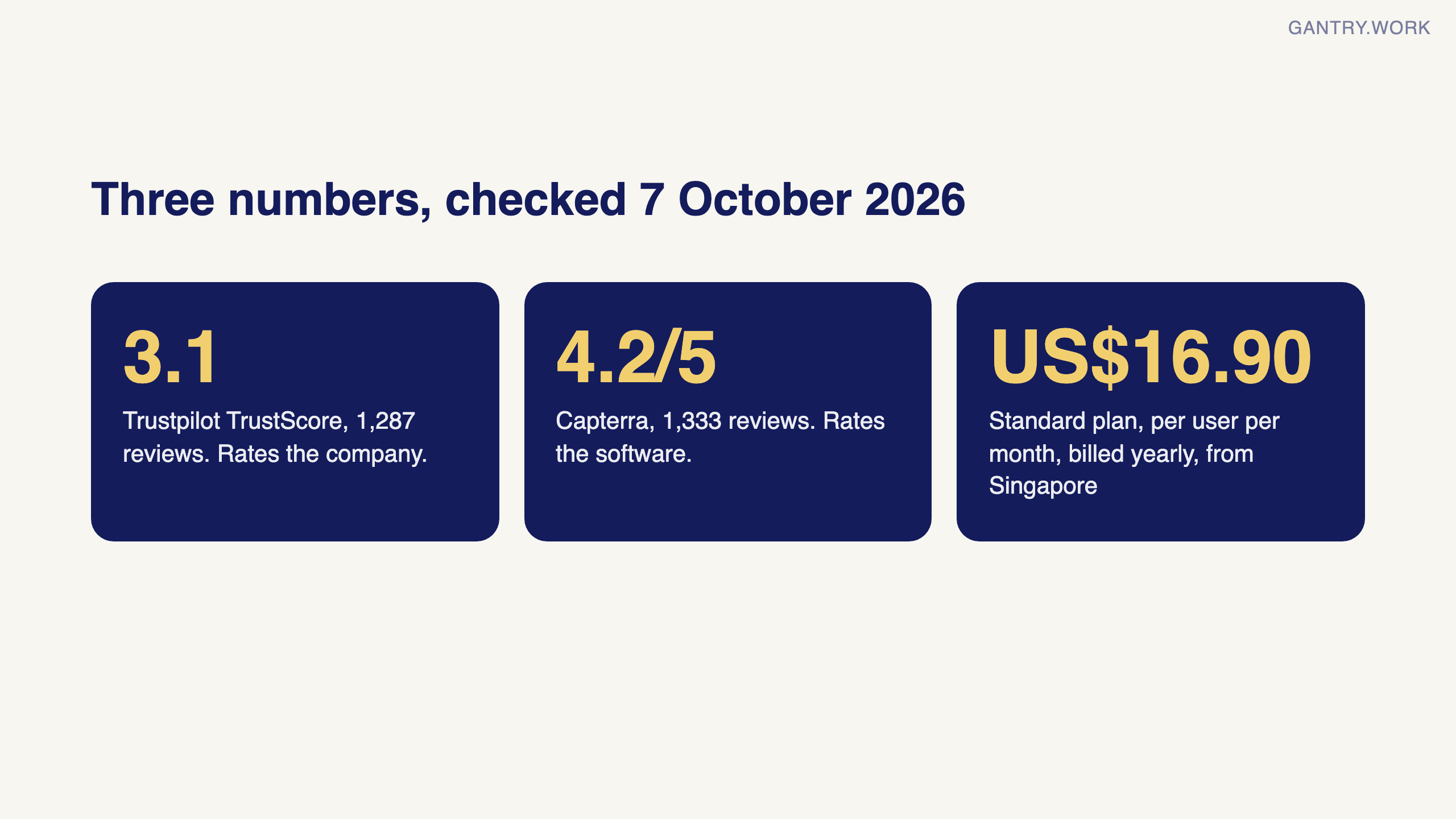
Sources, checked 7 October 2026: Odoo pricing (plan prices, all apps included, hosting, backups, support and upgrades included, One App Free); Odoo Singapore localisation (PayNow QR codes); Trustpilot: Odoo (TrustScore 3.1, 1,287 reviews); Capterra: Odoo (4.2 from 1,333 reviews); G2: Odoo (page blocked automated access, rating not checked).
Frequently asked questions
Is Odoo good for small businesses? Yes, for small businesses that run stock, purchasing or projects alongside their accounts. For a firm that only needs invoices and bookkeeping, a dedicated accounting package is simpler.
Why is Odoo's Trustpilot score lower than its software ratings? Trustpilot rates the company relationship, including billing and support, while software review sites rate the product. Read the written reviews to see which applies to you.
Is Odoo worth the price? For a company replacing three or four separate tools, usually yes, because every app is included in one per-user fee. Check what Odoo actually costs in 2026 before you decide.
I’m Sayed — I work closely with business owners to automate their operations and build workflows that actually make sense. I write The Gantry about ERP and automation for SMEs. Next week: how to choose an Odoo implementation partner — the questions that separate good ones from body shops. Subscribe so it lands in your inbox.
Working on something similar? Connect with me on LinkedIn and tell me what you are working on. I read and reply to every message, and the questions people send become the next guides.
How I test everything and how this site makes money: How The Gantry works.
Two related reads: what Odoo actually costs in 2026 (licence maths and the line items nobody budgets) and hypercare after go-live, the stage where most of the frustration in this review shows up.