

Some links on this page are affiliate links. If you sign up to Make through them, The Gantry may earn a commission at no extra cost to you. How I test tools and how this site makes money.
Make templates are ready-made scenarios from Make's own template gallery: you open one, connect your apps and switch it on, instead of building the automation from scratch. The gallery has thousands, most of them for apps a small business never uses. These are the sixteen I would point an owner to first, grouped by the job they take off your hands, with a rough credit cost for each and the one thing to check before you trust it with real customers.
Part of The Gantry's automation guides. Templates checked in Make's gallery on 6 October 2026. Credit figures are my estimates; check your own run history after a week.
How to use a Make template
Open the template below and click Get this template.
Sign in to Make, or create a free account. The free plan is enough to try any template here.
Connect each app when Make asks: Xero, Gmail, Google Sheets and so on.
Run it once by hand with a test record (a test invoice, a test lead) and check the result before switching on the schedule.
Switch it on and look at the run history after a day.
Every template becomes your own scenario once you open it, so you can change fields, add a filter or delete steps.
What a template costs to run
Make bills in credits. Almost every module that does something uses one credit per run, and routers and filters are free. A three-step template that handles 200 records a month uses about 600 credits, inside the free plan's 1,000. The catch is the trigger: if it checks for new data on a schedule, every check costs a credit, about 2,880 a month at every 15 minutes. Use an instant trigger where the app has one. The Make pricing guide explains credits in full, and the free Make credit calculator works out the plan you need.
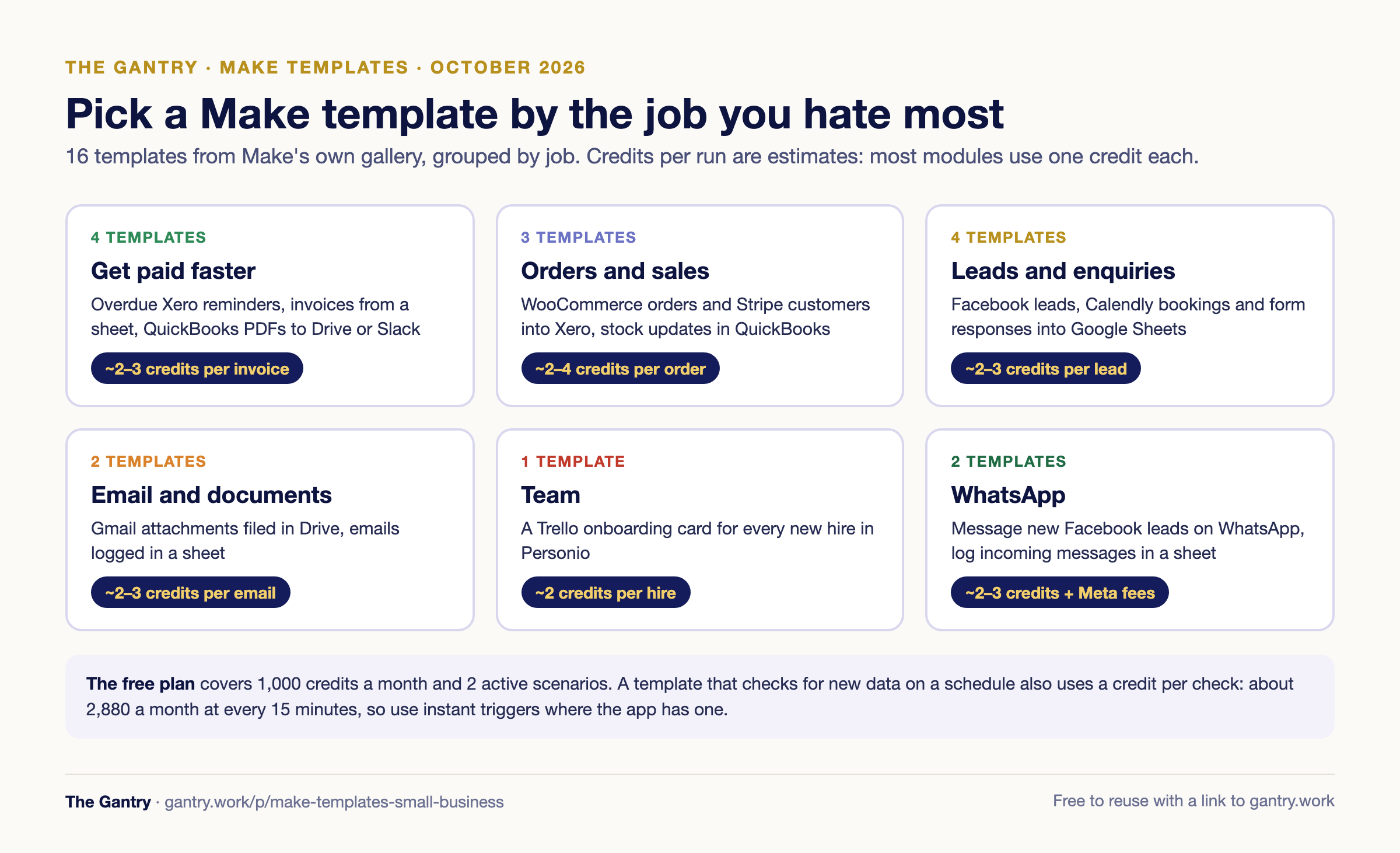
Get paid faster
1. Follow up on overdue Xero invoices
Finds overdue invoices in Xero and emails each customer a reminder from Gmail. Apps: Xero, Gmail. Credits: about one per overdue invoice plus the daily check, so a few hundred a month for most small businesses. Check first: send it to your own address for a week and read the wording before customers see it. Use this template on Make. Full guide: Xero invoice reminders, built-in vs automated.
2. Create Xero invoices from rows in Google Sheets
Reads rows from a Google Sheet, keeps the ones for the contacts you choose, and creates the matching invoices in Xero. Apps: Google Sheets, Xero. Credits: about two per invoice. Check first: the contact names in your sheet should match the names in Xero exactly, and test with one row before you point it at the whole sheet. Use this template on Make.
3. Save every new QuickBooks invoice PDF to Google Drive
When an invoice is created in QuickBooks, downloads the PDF and saves it to a Google Drive folder. Apps: QuickBooks, Google Drive. Credits: about three per invoice. Check first: decide the folder structure (by customer or by month) before you switch it on, because moving hundreds of files later is tedious. Use this template on Make.
4. Post new QuickBooks invoices to Slack
Sends each new QuickBooks invoice, with its PDF, to a Slack channel so sales and operations see what has been billed. Apps: QuickBooks, Slack. Make notes you can change the filter to watch sales receipts or other records instead. Credits: about three per invoice. Check first: send it to a quiet channel, or it becomes noise people mute. Use this template on Make.
Orders and sales
5. Add new WooCommerce orders to Xero
Every new WooCommerce order becomes a record in Xero. Apps: WooCommerce, Xero. Credits: a few per order, more for orders with many lines. Check first: agree with your accountant how online sales should land in Xero, and check that tax codes and the sales account map correctly on a test order. Use this template on Make.
6. Create Xero contacts for new Stripe customers
Each new Stripe customer is added to Xero as a contact, so invoices and payments match. Apps: Stripe, Xero. Credits: about two per customer. Check first: Make's own note says to trigger the "New customer created" webhook once before running, so the fields load for mapping. Use this template on Make.
7. Update stock in QuickBooks and Google Sheets for new WooCommerce orders
Reduces inventory values in QuickBooks and an example Google Sheet for every new WooCommerce order. Apps: WooCommerce, QuickBooks, Google Sheets. Credits: they scale with order lines, because each line runs the update steps. Check first: run it against a copy of your stock sheet for a few days and compare the counts with the shop. Use this template on Make.
Leads and enquiries
8. Save Facebook Lead Ads leads to Google Sheets
Every new lead from a Facebook lead form lands as a row in a Google Sheet. Apps: Facebook Lead Ads, Google Sheets. Credits: about two per lead. Check first: you need admin access to the Facebook Page that runs the ads, and you should submit one test lead before spending on the campaign. Use this template on Make. Full guide: Google Sheets lead automation.
9. Save Facebook leads and email yourself for each one
The same as above, plus an email to you for every new lead, so nobody waits until someone opens the sheet. Apps: Facebook Lead Ads, Email, Google Sheets. Credits: about three per lead. Use this template on Make.
10. Log Calendly bookings in Google Sheets
Every time someone books through Calendly, their details are added to a Google Sheet. Apps: Calendly, Google Sheets. Credits: about two per booking. Check first: decide which columns you need (name, email, event, date) and set up the sheet's headers before connecting it. Use this template on Make.
11. Add Google Forms responses to Google Sheets
Adds each new Google Forms response to a sheet. Apps: Google Forms, Google Sheets. An honest note: Google Forms can already send responses to a sheet without Make. Use this template only as the starting point for doing something more with each response, such as an email or a CRM record. Use this template on Make.
Email and documents
12. Save Gmail attachments to Google Drive
Saves attachments from incoming Gmail messages into a Google Drive folder. Apps: Gmail, Google Drive. Credits: about two per email plus the checking. Check first: filter by sender or subject, or every newsletter's logo ends up in Drive. Use this template on Make. Full guide: save Gmail attachments to Google Drive automatically.
13. Log emails in Google Sheets and file their attachments in Drive
Saves each matching Gmail message as a row in a sheet and its attachments in Drive, a simple way to track supplier invoices or enquiries by email. Apps: Gmail, Google Drive, Google Sheets. Credits: about three per email. Use this template on Make. Full guide: supplier invoices from email to a sheet.
Team
14. Create a Trello card for each new employee
If you use Personio for HR, creates a Trello card with each new employee's details so onboarding tasks start on time. Apps: Personio, Trello. Credits: about two per new hire, so a handful a month. Use this template on Make.
WhatsApp
15. Send a WhatsApp message to new Facebook leads and log them
Messages each new Facebook lead on WhatsApp and logs them in a Google Sheet. Apps: Facebook Lead Ads, Google Sheets, WhatsApp Business Cloud. Credits: about three per lead. Check first: this uses the WhatsApp Business Platform, so you need an approved message template, and Meta charges per message on top of Make. Use this template on Make. Full guide: WhatsApp Business API pricing.
16. Log incoming WhatsApp messages in Google Sheets
Adds a row to a Google Sheet for every message your WhatsApp Business number receives. Apps: WhatsApp Business Cloud, Google Sheets. Credits: about two per message, so busy numbers add up. Check first: if more than one person answers WhatsApp, a shared inbox may suit you better than a sheet. Use this template on Make. Full guide: WhatsApp order automation.
Which template should you start with?
Chasing late payers every week: template 1 (Xero) and the free overdue invoice reminder writer.
Retyping online orders into accounting: template 5 or 6.
Leads sitting unanswered: template 9, or 15 if your customers prefer WhatsApp.
Supplier invoices lost in email: template 13.
Not sure what to automate first: the free Cost of Manual Work Calculator shows which job costs you most.
Start with one, run it for two weeks, then add the next. Two active scenarios is the free plan's limit, which is a sensible pace anyway.
When the free plan stops being enough
The free plan gives 1,000 credits a month, two active scenarios and checks no more often than every 15 minutes. Most owners outgrow it when a third template goes live or when customers start depending on one. Core starts at $9 a month billed annually for 10,000 credits. The Make pricing guide lists the exact triggers for upgrading, and Make vs Zapier compares the two if you are still choosing.
Frequently asked questions
Are Make templates free? Yes. Using a template costs nothing; running it uses credits like any scenario, and the free plan includes 1,000 credits a month.
Can I change a Make template? Yes. Once you open a template it becomes your own scenario, so you can add filters, change fields or remove steps.
Do Make templates work on the free plan? Yes, within the free plan's limits: two active scenarios, 1,000 credits a month and scheduling no more often than every 15 minutes.
Where do I find more Make templates? In Make's template gallery at make.com/en/templates, searchable by app. Search for the two apps you want to connect, for example "Xero Gmail".
Should I build from a template or from scratch? From a template when one matches 80% of the job. It saves the fiddly first steps, and you can adjust the rest.
Want a second pair of eyes on your setup? Bring the process that keeps going wrong to a free 20-minute systems review. I'll tell you honestly what to fix first, or whether you need anything new yet.
I'm Sayed. I work closely with business owners to automate their operations and build workflows that actually make sense. If none of these templates fits your process, connect with me on LinkedIn and tell me what you are trying to automate.